Turn a client brief into a proposal in minutesand know the moment they read it
Upload the RFP or brief your client sent. ProposalBuild drafts the scope, timeline and pricing for you to edit, gives you a clean link to share, and shows which sections your client actually read, so you follow up at the right time.
- No credit card
- Free plan after the trial
- Cancel anytime
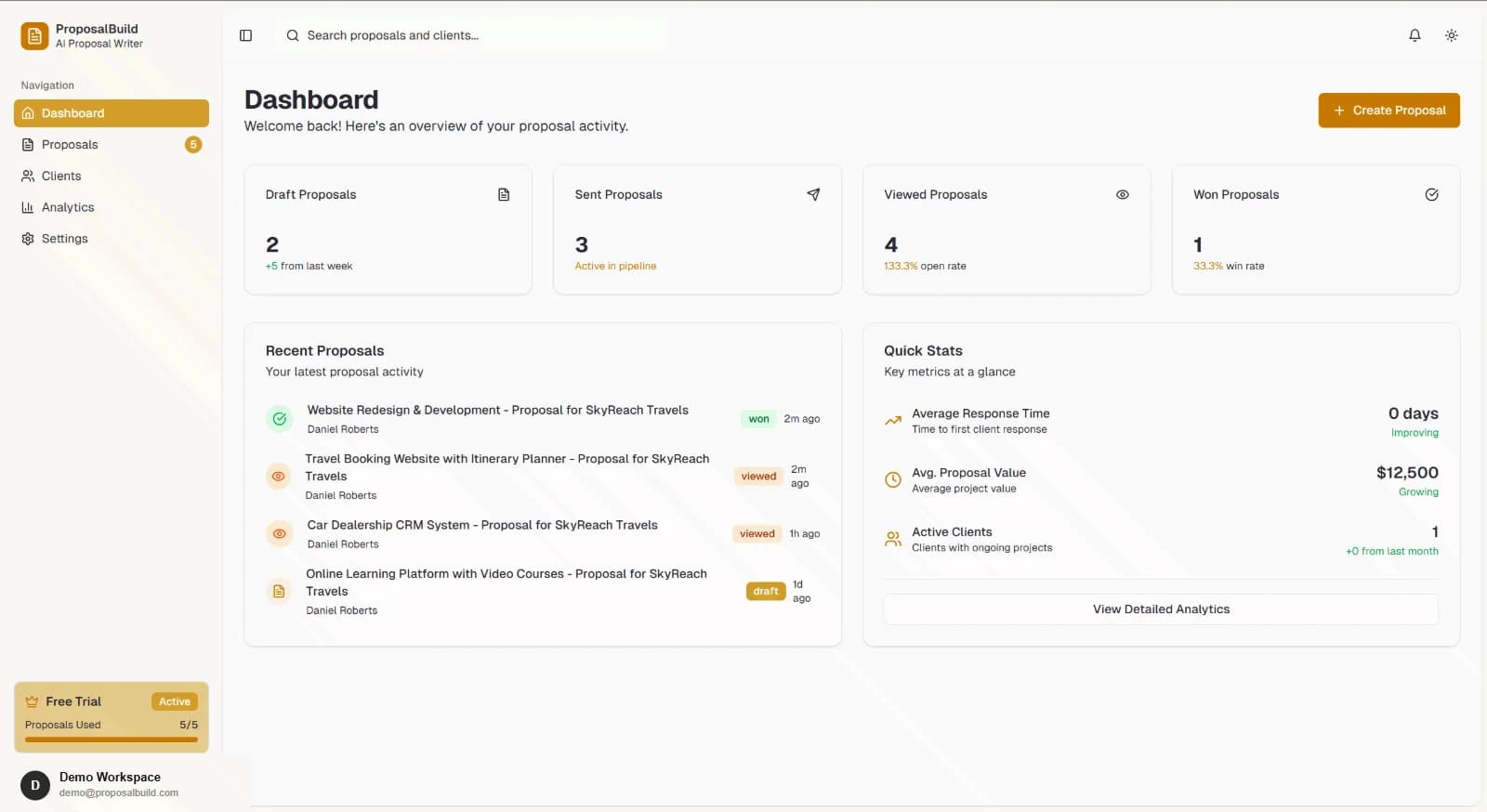
Everything You Need to Win More Business Proposals
Complete proposal management platform with AI-powered content generation, real-time analytics, client engagement tracking, and multiple organizations—switch between teams or workspaces in one account for maximum conversion rates.
Create
Go from RFP to a polished draft without starting from a blank page.
Send & Sign
Get the proposal in front of the client and signed on the spot.
Track & Improve
Know what happens after you hit send, and improve the next one.
Manage & Scale
Run every client, teammate, and workspace from one account.
How ProposalBuild Works
From RFP analysis to winning business proposal—streamlined and intelligent at every step to maximize your success rate.
Upload RFP
Upload your RFP document and let our AI extract key requirements, deadlines, and evaluation criteria automatically
Generate with AI
Create professional proposal sections, pricing tables, and executive summaries with intelligent AI assistance
Share & Track
Send interactive proposals to clients and track views, engagement, scroll depth, and time spent in real-time
Collect Feedback
Receive client notes and feedback directly on proposals with instant email and dashboard notifications
Powerful Analytics Dashboard
Every proposal comes with detailed analytics. See engagement scores, unique visitors, completion rates, and identify which sections resonate. Use AI Analyze for consultant-style recommendations to improve engagement and conversion.
Simple, Transparent Pricing
Start free, scale as you grow. All plans include AI-powered features, analytics, and client engagement tracking.
Try every Pro feature for 14 days, then keep generating and tracking opens for free.
For freelancers who want to know what clients actually read.
For busy consultants and small agencies sending proposals every week.
Compare ProposalBuild with Competitors
PandaDoc and Proposify are good tools, and both now include AI writing and a free plan. Here is where we actually differ.
| Features | ProposalBuild | PandaDoc | Proposify |
|---|---|---|---|
| AI writing assistance | Included | Included | Included |
| Free plan | Included | Included | Included |
| E-signatures | Included | Included | Included |
| Open & engagement tracking | Included | Included | Included |
| Full first draft from the client’s RFP or brief | Included | Not included | Not included |
| Priced per account, not per user | Included | Not included | Not included |
Checked against public product and pricing pages, October 2026. Spot something out of date? Tell us.
See Exactly How Clients Read Your Proposals
This is the actual dashboard. Every proposal you send reports back — who opened it, what they read, and where they stopped.
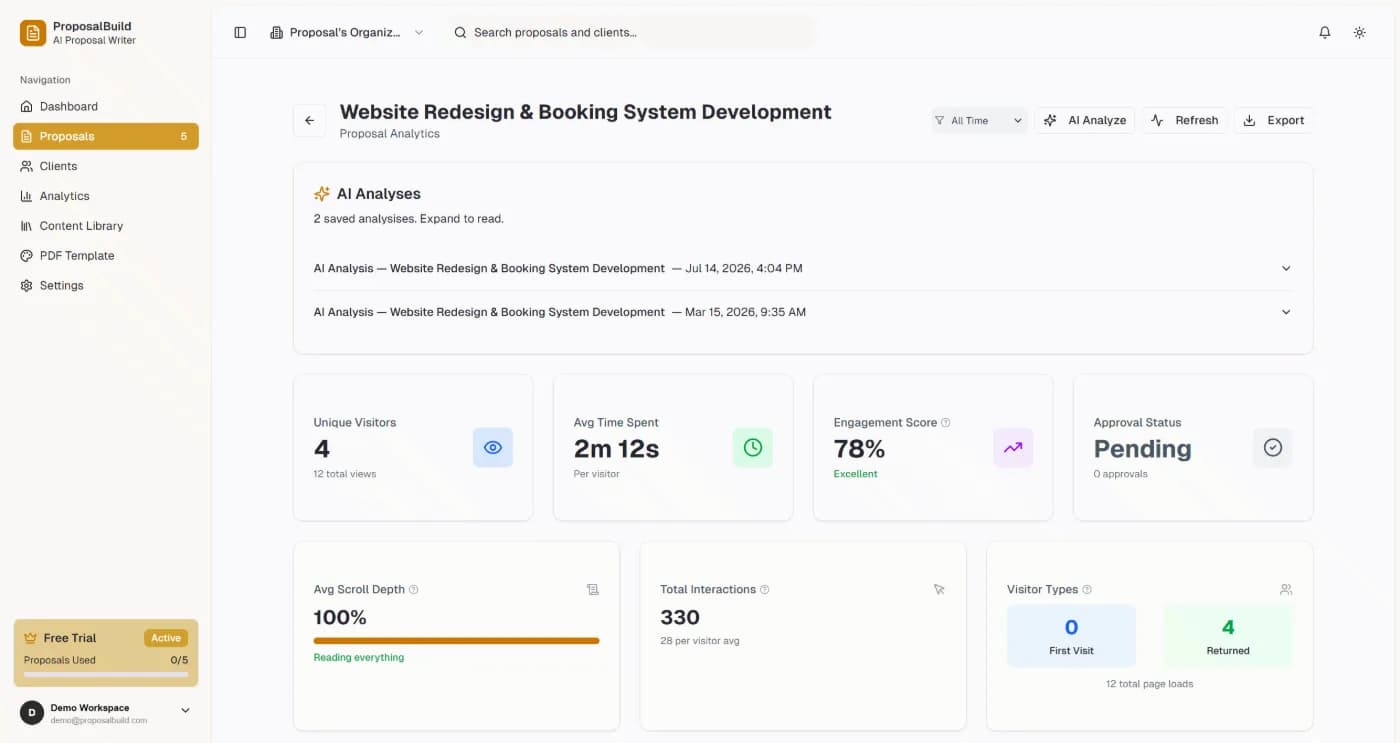
Engagement score & scroll depth
See how far each visitor scrolled and how long they spent on every section.
AI Analyze recommendations
Consultant-style suggestions drawn from your own proposal analytics.
Client notes with instant alerts
Clients comment directly on the proposal; you get email and dashboard notifications.
Pipeline from draft to won
Track every proposal through draft, sent, viewed, and won or lost.
Built for Your Industry
Discover how ProposalBuild works for your specific business with industry-tailored features and templates
Built by Someone Who Was Tired of Slow Proposals

Muhammad Huzaifa Ahmed
Founder & SWE, ProposalBuild
I built ProposalBuild after watching freelancers and small agencies burn hours formatting proposals by hand instead of doing the work that actually wins clients. It's a tool built to remove that friction — AI-assisted drafting, e-signatures, and tracking in one place, so you can send a proposal in minutes and spend the rest of your time on the project, not the paperwork.
See ProposalBuild in Action
Pick a time that works for you and we'll walk you through the platform live.
Everything You Need to Know About AI Proposal Software
Get answers to common questions about ProposalBuild's AI-powered proposal creation, pricing, features, and more.
What is ProposalBuild and how does it work?
ProposalBuild is an AI-powered proposal software that helps businesses create professional proposals in minutes. Simply upload your RFP document, and our AI automatically extracts key requirements, deadlines, and evaluation criteria. Then use our AI content generator to create proposal sections, pricing tables, and executive summaries. Track client engagement with real-time analytics showing views, scroll depth, and time spent on each section.
Is there a free plan available?
Yes! ProposalBuild offers a free plan with no credit card required, and every new account starts with a 14-day Pro trial. After the trial, the free plan keeps AI generation and open tracking with a smaller monthly allowance. Pro adds full read analytics (time per section, read depth, returning visitors), AI engagement analysis and removes the ProposalBuild footer from shared proposals.
How does the AI proposal generation work?
Our AI analyzes your RFP documents to extract key requirements, deadlines, and evaluation criteria using advanced natural language processing. It then generates professional proposal sections, executive summaries, technical approaches, and pricing tables tailored to your client's specific needs. You maintain full control to edit and customize all AI-generated content.
Can I track how clients engage with my proposals?
Absolutely! ProposalBuild provides real-time analytics showing unique visitors, engagement scores, scroll depth, time spent, and which sections clients view most. You'll receive instant email and dashboard notifications when clients interact with your proposals, helping you follow up at the perfect time.
Can I use multiple organizations or switch between teams in one account?
Yes! ProposalBuild supports multiple organizations in one account. If you belong to more than one organization (e.g. after accepting an invite or managing several workspaces), you can switch between them instantly from the dashboard header. No need to log out or use separate accounts—ideal for freelancers, agencies, and consultants.
How does ProposalBuild compare to other proposal software?
ProposalBuild stands out with AI-powered content generation and smart RFP analysis—features not available in PandaDoc or Proposify. We also offer a free plan, real-time client engagement tracking, built-in feedback tools, and smart pricing builders. Check our detailed feature comparison to see all the differences.
Can clients leave feedback directly on proposals?
Yes! Our client feedback feature allows clients to leave notes and comments directly on your proposals. You receive instant notifications via email and in your dashboard when clients provide feedback, enabling quick responses and better collaboration throughout the proposal process.
Is my data secure with ProposalBuild?
Security is our top priority. ProposalBuild uses enterprise-grade encryption, secure HTTPS connections, and follows industry best practices for data protection. All proposals, client data, and documents are encrypted at rest and in transit. Read our privacy policy for more details.
What file formats can I upload for RFP analysis?
ProposalBuild supports multiple file formats including PDF, Word documents (.docx), and text files. Our AI can extract and analyze requirements from various RFP and RFQ formats, making it easy to start creating your proposal regardless of how you receive the original request.
Do you offer support and training?
Yes! All ProposalBuild users have access to our support resources. Paid plans get priority email support. Contact us for personalized help, or book a demo and we will walk you through it live.